AI Max for Search: Growth With Less Manual Work

AI Max for Search adds a layer of AI to your Search campaigns in Google Ads, so you no longer add every keyword yourself. More automation means less direct control, though Google added settings in 2025 and 2026 that let you steer it.
The short version
AI Max for Search is an extra layer on top of your existing Search campaigns in Google Ads. Google shows your ads for searches you have no keyword for, writes ad text to match, and picks the landing page. Google says it delivers 7 percent more conversions on average when you use all three features, while independent measurements show wide swings from campaign to campaign. It works best with Smart Bidding, reliable conversion tracking and enough data.
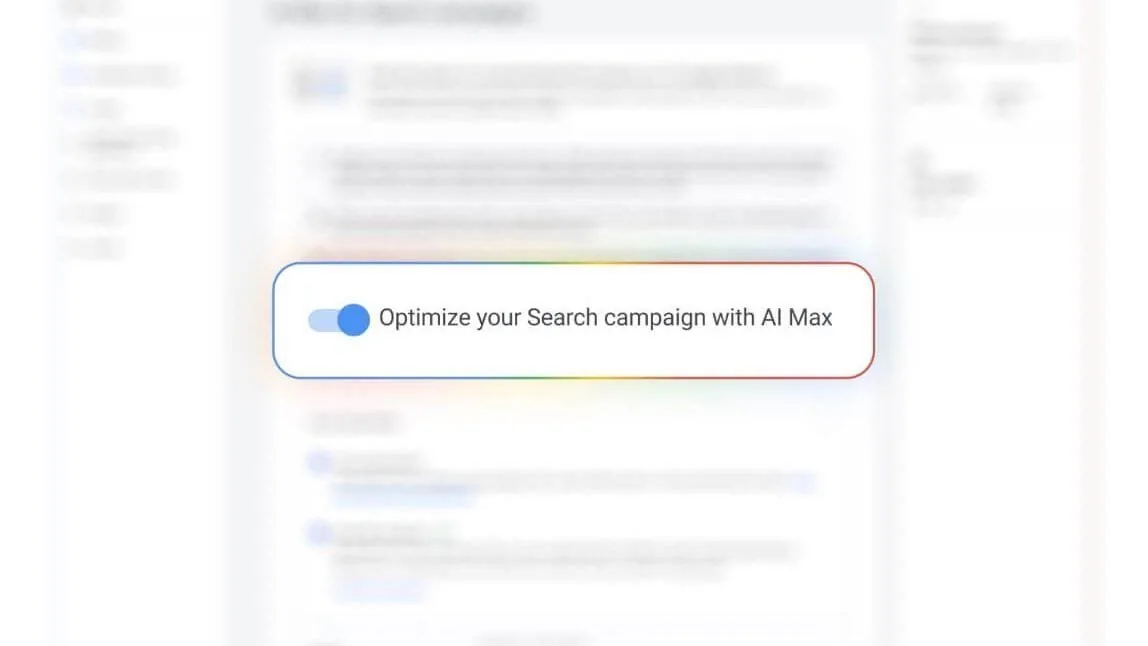
What is AI Max for Search?
AI Max for Search sits on top of your existing Search campaigns. It is not a new campaign type. Google announced it on May 6, 2025, and on September 11, 2025 said every advertiser worldwide could use it in beta. It left beta on April 15, 2026, according to Google's announcement about Dynamic Search Ads.
It has three features.
- Search term matching shows your ads for searches you don't bid on. Google works from your keywords, ads and landing pages. Your negative keywords still apply.
- Text customization uses generative AI to write headlines and descriptions that fit the search, based on your existing ads, your landing page and your assets.
- Final URL expansion sends visitors to the page on your site that best matches their search. It only works when text customization is on.
The three features side by side
| Feature | What Google does | Requirement | What to watch |
|---|---|---|---|
| Search term matching | Shows your ads for searches you don't bid on | Smart Bidding on conversions | Check the search terms report for terms that don't fit your offer |
| Text customization | Writes headlines and descriptions with generative AI | A good landing page and existing ads | Check that tone and message still fit |
| Final URL expansion | Sends visitors to the best-matching page on your site | Text customization is on | Pinned headlines stop applying when Google picks a different URL |
Say you bid on "buy box spring in Veenendaal". AI Max can also show your ad for "best bed store in Ede" or "good mattress Amersfoort". The system looks for people with the same need, even when they use different words.
According to Google Ads Help, AI Max is on by default for new Search campaigns, together with text customization and final URL expansion. For existing campaigns you switch it on yourself. Google ignores pinned headlines when it picks a different URL. If you need fixed text, for legal reasons for example, turn URL expansion off.
Which businesses should consider AI Max?
AI Max for Search suits businesses that already run Search campaigns and get enough conversions for the system to learn from. A web shop with a broad catalog, a service business with many different services or a company with several locations can gain from the search for new search terms. A business with one service and a small, well-defined audience gains less, because you can list the relevant keywords yourself.
Take a heating installer with a small campaign on "replace central heating boiler". It gets a handful of conversions a month, so the AI has little to learn from. A garden furniture shop with hundreds of products and dozens of conversions a day gives the system far more signal. The example is made up, but the logic matches what Google says: the AI learns from volume.
Automatic migration to AI Max
Google is moving older features into AI Max. Campaigns with automatically created assets and campaigns with campaign-level broad match migrated automatically from September 2026. Dynamic Search Ads follow from February 2027, according to the updated announcement of June 11, 2026. An email Google sent on August 5, 2026, as PPC Land describes it, says that campaigns with automatically created assets get search term matching and text customization switched on, while campaigns with campaign-level broad match get search term matching only.
If you use either feature, check your account to see which campaigns were migrated and which features are on. You can switch each feature off again.
How does AI Max differ from broad match and Performance Max?
Broad match is a keyword type that lets your ads appear for searches related to your keyword. AI Max for Search goes a step further and also changes ad text and landing pages. Performance Max is a separate campaign type that runs across several Google channels. When a search qualifies for both, Google says the campaign with the highest Ad Rank wins.
| Broad match | AI Max for Search | Performance Max | |
|---|---|---|---|
| Type | Keyword type | Layer on top of a Search campaign | Its own campaign type |
| Search terms | Terms related to your keywords | Also searches without a keyword | Searches, alongside other channels |
| Ad text | You write it | Google can customize it | Google combines assets |
| Landing page | You choose it | Google can choose a different page | Google can choose a different page |
The table simplifies things. Read the explanation in Google Ads Help to see exactly how it works in your account.
What AI Max delivers
In May 2025, Google reported that advertisers typically get 14% more conversions or conversion value at a similar CPA or ROAS, based on its own data and excluding retail. In April 2026 it cited 7% more on average when all three features are on, compared with search term matching alone. Those are two different comparisons.
Independent measurements paint a wider picture. Smarter Ecommerce (SMEC) analyzed more than 250 web shop Search campaigns and, according to Search Engine Journal (March 5, 2026), found a median rise of 13% in conversion value and 16% in CPA. ROAS ranged from 35% lower to 42% higher per campaign. A specialist at Omnicom Media wrote in Emerce, a Dutch marketing publication (April 16, 2026) about a test for an automotive client on generic campaigns. Less than 7% of the AI Max volume came from entirely new searches, and more than 70% of conversions still ran through other match types. CPA fell 16% for SUVs and rose 6% for small cars.
Results differ a lot per campaign. According to SMEC, the extra conversions usually cost more than the traffic you get on your own keywords.
The risks
Without human oversight, the system can make wrong choices, and that costs money. Treat AI Max as a tool that supports your expertise.
- You have less control over keywords, and your ads can show for search terms that don't fit your offer. The agency iClicks saw competitors turn up in the search terms report in its own experiments (May 5, 2026).
- AI-written text can clash with your tone of voice or brand style. Always check that the message still fits.
- At iClicks, final URL expansion sometimes chose pages the team would not have picked as most relevant, with higher bounce rates on pages that weren't built to convert.
- If your conversion tracking is off, the AI learns from the wrong signals.
- Targeting more broadly means irrelevant clicks can add up and waste budget.
What you can set yourself
- Brand controls let you exclude brands at campaign level and add brands at campaign or ad group level. These settings have been part of AI Max since May 27, 2025. According to PPC Land, an option to advertise only on searches without a brand name arrived on June 1, 2026.
- Locations of interest let you steer by geographic intent per ad group, including for searches without a keyword.
- URL exclusions let you keep pages from being used as landing pages, at campaign level. This requires text customization and final URL expansion to be on.
- Text guidelines let you exclude up to 25 words or phrases per campaign and add up to 40 message restrictions. They work in all languages Google Ads supports and only when text customization is on. Google warns that clumsy guidelines can wipe out many good ad texts and lower performance.
- On April 30, 2026, Google announced AI Brief. You describe in your own words what your ads may and may not say, which searches you want to avoid and which audiences you want to reach. The rollout starts in English, and existing text guidelines fold into it.
What you measure
AI Max has its own reporting. In the search terms report you filter on the match type "AI Max", and a source column shows whether the match came through broad match or without a keyword. The landing page report shows which URLs AI Max chose. In the asset reports, text written by Google carries the label "Google AI", so you can remove it. Google describes the reports in its help center.
The AI Max rows in your report don't show what would have happened without AI Max. Look at the campaign total as well: the number of conversions and the cost per conversion before and after you switched it on. An experiment puts both versions side by side.
How do you handle the search terms report?
The search terms report shows which searches triggered your ads. With AI Max it is your most important tool, because you don't decide where you appear. Go through it weekly for the first few weeks:
- Filter on the match type "AI Max" and sort by cost.
- Mark terms that don't fit your offer, such as a service you don't provide or a town outside your service area.
- Add those terms as negative keywords. Your negative keywords still apply with AI Max.
- For the terms that do convert, decide whether they belong in your account as regular keywords.
- Each week, note how much of the budget went to new search terms and what it returned, so you can compare after a month.
If this work doesn't fit your schedule, hand it to a specialist. At Make it Matter we include the search terms report in our marketing service.
When to hold off
AI Max for Search only works well when your foundation is solid, because the AI builds on your existing data, structure and results. Use it only when:
- you bid with Smart Bidding on conversions, because Google says search term matching doesn't work with manual CPC;
- your conversion tracking is reliable, with consent mode set up correctly, and you know exactly which actions count as valuable;
- your website performs well, with fast load times, a clear structure and strong landing pages, because Google can pick any page on your site;
- your campaigns have enough data, because the AI learns from volume;
- your strategy is clear: you know what you want to achieve and how your campaigns support each other.
If you also run Performance Max, Google says the campaign with the highest Ad Rank wins a search that fits both. Without that foundation, AI amplifies your mistakes before it amplifies your successes.
How do you judge whether the experiment worked?
An experiment is only useful if you agree up front on what you will look at. Pick one main metric, such as cost per conversion, and one control metric, such as the number of conversions. Let the experiment run until both halves have enough conversions, then look at three things:
- Did conversions go up, and was that because more people converted or because conversions shifted over from another channel?
- Did the cost per conversion stay the same or fall? According to SMEC, the extra conversions usually cost more, so a higher price is not unusual.
- Do the new search terms fit your offer, and are the landing pages Google chose pages you want visitors on?
If the results are mixed, you can leave AI Max on for some of your campaigns. The spread in the SMEC and Omnicom measurements shows that one verdict rarely holds for every campaign.
How to roll it out
- Check whether your account has already been migrated and which features are on, and get your conversion goals in order.
- Start small and test AI Max with an experiment next to your existing setup. Google splits the traffic within one campaign into a part with AI Max off and a part with AI Max on. On August 20, 2026, Google announced this also works with brand and location controls enabled. Check your account to see whether that option is there yet.
- Set your rules beforehand: brand controls, text guidelines, URL exclusions and locations of interest. Google's 7% applies to all three features together. If you want to start cautiously with text, switch on search term matching first and add the rest once your guidelines are in place.
- Review the search terms weekly at the start, exclude irrelevant terms and keep adjusting.
- Let the experiment run until both halves have enough conversions, then compare conversions and cost per conversion.
- Keep a human in the loop and check the tone, the message and the text Google AI writes.
If you have questions about the role of AI in your advertising, or want your Search campaigns reviewed, take a look at our AI service.
Frequently asked questions
What is AI Max for Search?
AI Max for Search is an extra layer on top of your Search campaigns in Google Ads, not a new campaign type. It consists of search term matching, text customization and final URL expansion. Google announced it on May 6, 2025, and it left beta on April 15, 2026.
Is AI Max on by default?
For new Search campaigns, yes, together with text customization and final URL expansion. For existing campaigns you switch it on yourself. Campaigns with automatically created assets or campaign-level broad match have been migrated automatically since September 2026.
Can I use AI Max with manual CPC?
Not for search term matching. Google says this feature doesn't work with manual CPC and that you need Smart Bidding on conversions. Check your bidding strategy and conversion tracking before you switch AI Max on.
Can I turn off parts of AI Max?
Yes. You can switch each feature off again. If you need fixed text, for legal reasons for example, turn off final URL expansion. Brand controls, text guidelines, URL exclusions and locations of interest give you further control.
Does AI Max always deliver more conversions?
No. Google cites 7 percent more conversions on average when all three features are on, but SMEC saw ROAS range from 35 percent lower to 42 percent higher per campaign. Test it with an experiment next to your existing setup.
How do I see what AI Max has done?
In the search terms report, filter on the match type "AI Max" and check the landing page report for the URLs Google chose. In the asset reports, text written by Google carries the label "Google AI".